How to use your private link and QR code to win your own clients
By the GlowUpp team · 27 October 2026
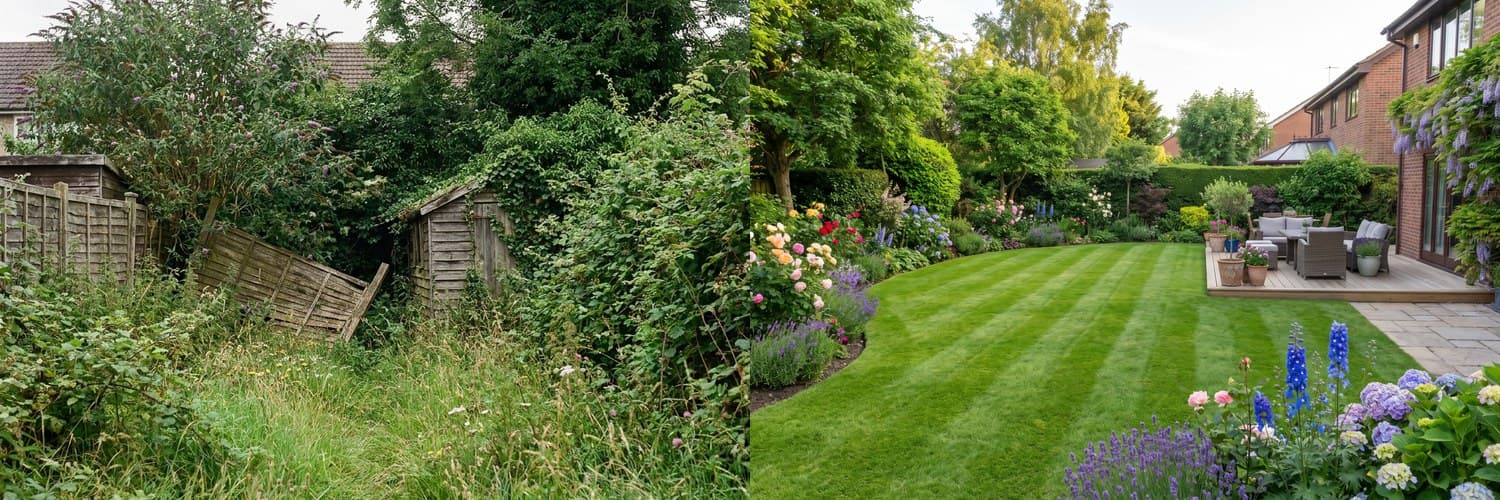 BeforeAfter‹›
An AI-generated example. Real results depend on your own space.
Most of your best work comes from people who already know you: past clients, neighbours, passers-by and people who see your van. Your private link gives them an easy way to picture the job before they ask for a quote.
What your private link does
Every professional on GlowUpp gets a private link and QR code. A client uploads a photo, sees their own space redesigned and sends it to you for an estimate. It is private to you: other tradespeople do not see it. Your first 3 jobs through your own link are free, and after that GlowUpp charges 2% of the accepted quote (capped at £250).
Where to put it
- On the back and sides of your van, as a QR code with a short line such as "See your space redesigned".
- On a yard or site sign outside a job you are working on, if the client agrees.
- On your business cards, flyers and invoices.
- At the bottom of every quote and email you send.
- In the bio of your social media profiles.
Use it during a visit
When you are quoting, ask whether the client would like to see their space redesigned. They can scan the code while you are there, and you both leave with the same picture of the job.
Send it after an enquiry
When someone messages you and you cannot visit yet, reply with your link and a short note: "Upload a photo of the space and you will see some ideas. I will send you a quote based on what you like."
Ask satisfied clients to share it
A happy client is the best advertisement. Ask them to pass your link to friends or family who are planning something similar.
Keep it honest
Explain that a redesign is an idea, not a promise of the finished result, and write the specification into your quote. Clients appreciate straight talk.
Get started
Create your free profile to get your link and QR code. There is no monthly fee. You can see the details on the professionals page.
Show clients the job before you quote
Free profile, your own link and QR code, and a redesign of the client's own space. You only pay when a job is won.
See how it works for tradespeopleCommon questions
- Can other tradespeople see jobs that come through my private link?
- No. A job from your private link is private to you.
- What does it cost to use my private link?
- Your first 3 jobs through your own link are free. After that GlowUpp charges 2% of the accepted quote, capped at £250. There is no monthly fee.
- Where should I put my QR code?
- On your van, business cards, invoices, quotes, site signs (with the client's permission) and social media profiles.