How to photograph a room for an AI redesign
By the GlowUpp team · 27 October 2026
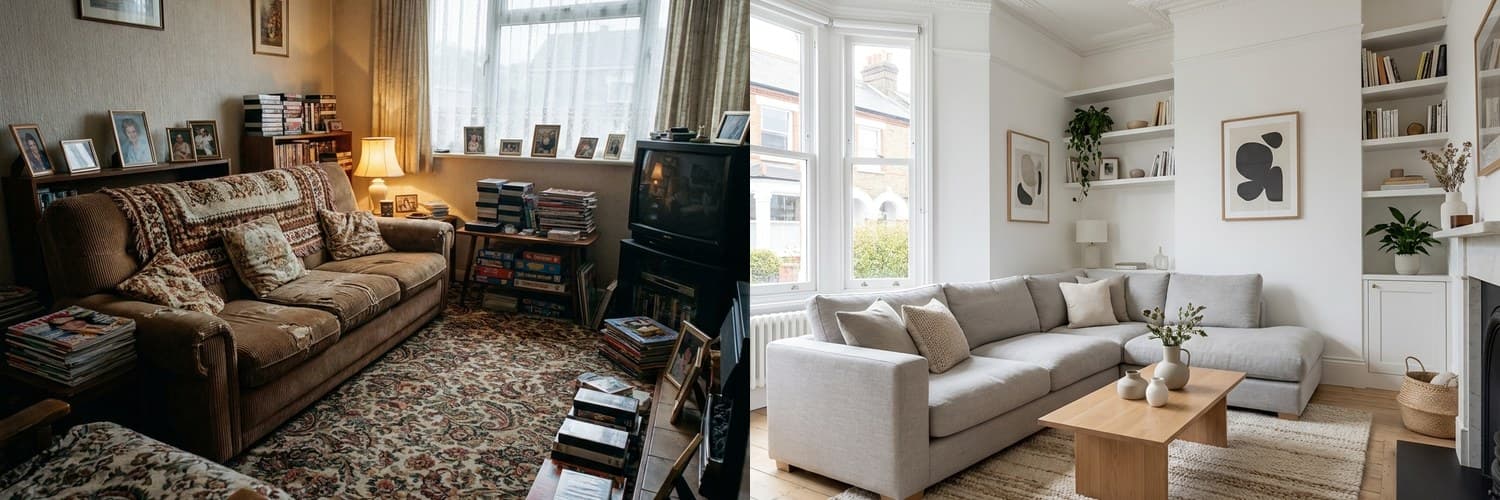 BeforeAfter‹›
An AI-generated example. Real results depend on your own space.
The better your photo, the more realistic the redesign. You do not need a good camera: a phone, some daylight and two minutes of tidying make a big difference.
Use natural light
Take the photo in daylight with the curtains or blinds open, and switch the lights on if the room is dark. Avoid pointing the camera straight at a bright window, which turns the rest of the room into a silhouette.
Stand in a corner and show the whole room
Stand in a corner or doorway so that two walls, the floor and the ceiling are all in the frame. A photo that shows the whole space gives the tool more to work with than a close-up of one wall.
Tidy first
- Clear loose items from floors, worktops and surfaces.
- Put away anything you would not want in the final picture, such as laundry or bins.
- Move people and pets out of the shot.
Hold the phone level and steady
Hold the phone at about chest height, keep it level so the walls look straight, and take the photo in landscape if the room is wide. Rest your elbows against your body or lean on a wall to avoid blur.
Take a few and pick the best
Take several photos from different corners and choose the clearest. Check that nothing is blurred and that the edges of the room are visible.
Outdoor spaces
For a garden, drive or house front, choose a bright but not harshly sunny moment, stand back far enough to see the whole space and keep parked cars and bins out of the frame if you can.
Remember what a redesign is
An AI redesign is an idea, not a survey or a promise of how the finished job will look. Use it to decide what you like and to brief a professional, then ask them what is possible in your actual space. Always ask a qualified professional before moving gas, electrics or plumbing, or changing anything structural, and check your lease or local rules if you rent or live in a conservation area.
See your own living room redesigned
Upload a photo and see AI-generated ideas in about two minutes. Free for homeowners, no sign-up needed to start.
Try it with your photoCommon questions
- Do I need a professional camera?
- No. A recent phone camera in good daylight is usually enough. Clarity, light and showing the whole room matter more than the equipment.
- Should I tidy before I take the photo?
- Yes. Clearing surfaces and floors makes the room easier to see and gives a cleaner result.
- Can I use a photo I already have?
- You can, as long as it is clear, well lit and shows the whole space as it looks now.