How to win more quotes: show the client the finished job first
By the GlowUpp team · 27 October 2026
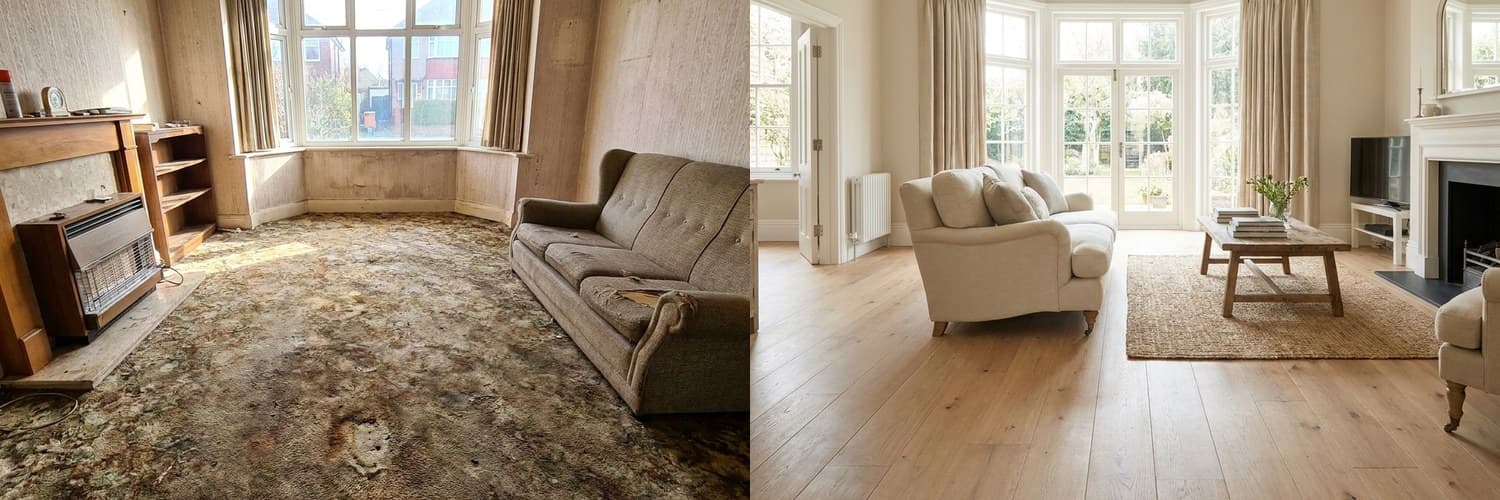 BeforeAfter‹›
An AI-generated example. Real results depend on your own space.
A lot of quotes stall for one reason: the client cannot picture the finished job. They like you, they trust the price, and then they say they will think about it. Showing them the result first is one of the simplest ways to move that conversation on.
Why quotes stall
- The client is comparing a number on paper with a result they cannot see.
- They worry about spending a lot and regretting the choice.
- One partner can picture it and the other cannot, so the decision waits.
- A vague quote gives them nothing to hold on to while they decide.
Ways to show the result
- Photos of your own past jobs, sorted by type, so you can find a similar one in seconds.
- Samples and swatches for finishes, colours, tiles and flooring, left with the client.
- A simple sketch with measurements for layouts.
- A visualisation of their own room, such as an AI redesign made from a photo, to show colour, layout or finish.
Do it at the first visit
With the client's permission, take a photo of the space while you are there and talk through one or two options with them: a colour, a layout, a material. Do not offer ten. Two or three choices keep the conversation easy, and the choice they make tells you what to put in the quote.
Be honest about what a picture is
An AI image is an illustration to help the client imagine the result, not a plan or a guarantee. Say so. Confirm the measurements, the materials and what is possible on site, and put the details in a written, itemised quote. If you promise the picture and deliver something different, you will lose the trust you just built.
Send it with the quote
Send the pictures together with the quote, so the client can look again and show their partner. A link or a QR code they can open on a phone is easier than attachments, and it keeps everything in one place.
How GlowUpp can help
GlowUpp gives you a free profile and your own link and QR code. A client opens it, uploads a photo of their own space and sees AI-generated redesigns in a couple of minutes, then sends the design to you for an estimate. You send an itemised quote, and the client can accept it. For clients you bring yourself through your link, your first 3 jobs are free, and after that GlowUpp charges 2% of the accepted quote (capped at £250). For jobs from the open marketplace, you pay 2% (capped at £250) only if the client picks you.
Mistakes to avoid
- Overpromising: showing a result that the room or the budget cannot deliver.
- Offering too many options, which gives the client more to think about, not less.
- Sending a vague quote with a nice picture.
- Leaving it too long to follow up. A message within a day or two keeps the job fresh.
A simple routine
- Take a photo of the space (with permission) and note the measurements.
- Agree one or two options with the client.
- Send the pictures and an itemised written quote the same day.
- Follow up once, politely, within a couple of days.
Show clients the job before you quote
Free profile, your own link and QR code, and a redesign of the client's own space. You only pay when a job is won.
See how it works for tradespeopleCommon questions
- Do I need special software to show clients the result?
- No. Photos of your past work and a few samples go a long way. A tool such as GlowUpp can also make a redesign of the client's own room from a phone photo.
- Is an AI image a binding design?
- No. It is an illustration to help the client picture the result. The measurements, materials and details should be confirmed on site and written into your quote.
- How do I send a client a link or QR code?
- With a GlowUpp profile you get your own link and QR code. Share the link by message or email, or show the QR code on your phone, your van or your printed quote.